

1. PV, PVC
1-1. API 로 파일 생성
http://192.168.56.30:31231/create-file-pod
http://192.168.56.30:31231/create-file-pv- wmdaihnepr.txt, xhfwqtqaeo.txt 파일 생성
1-2. 파일 생성 확인
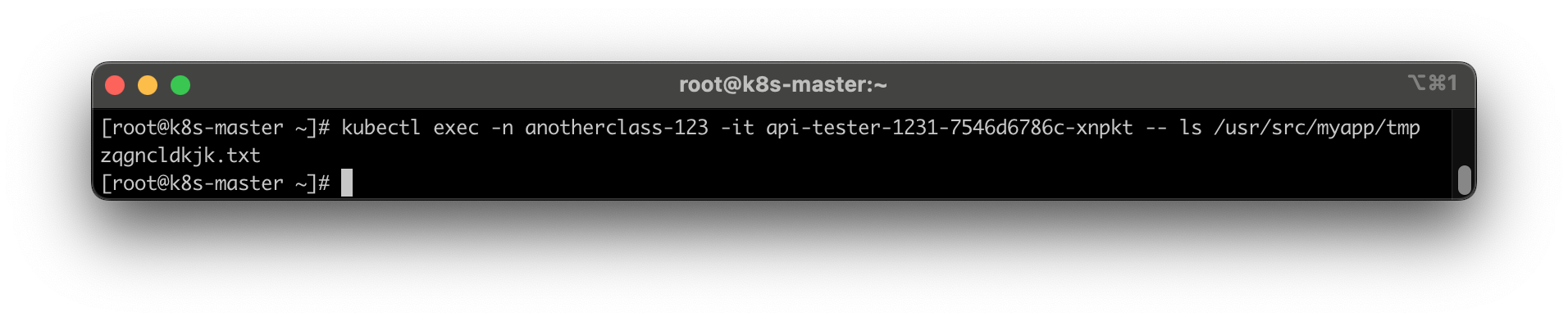
Continer 임시 폴더 확인 => wmdaihnepr.txt
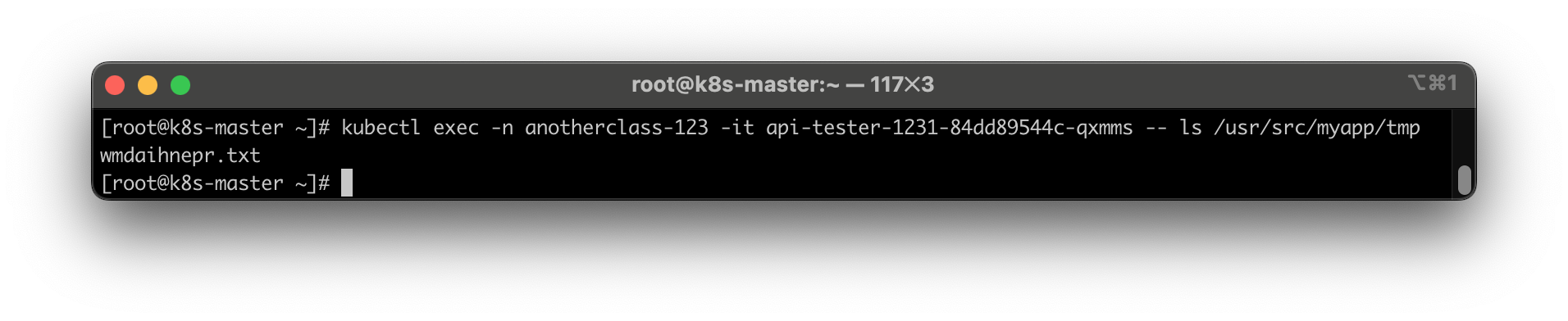
Contianer 영구저장 폴더 확인 => xhfwqtqaeo.txt

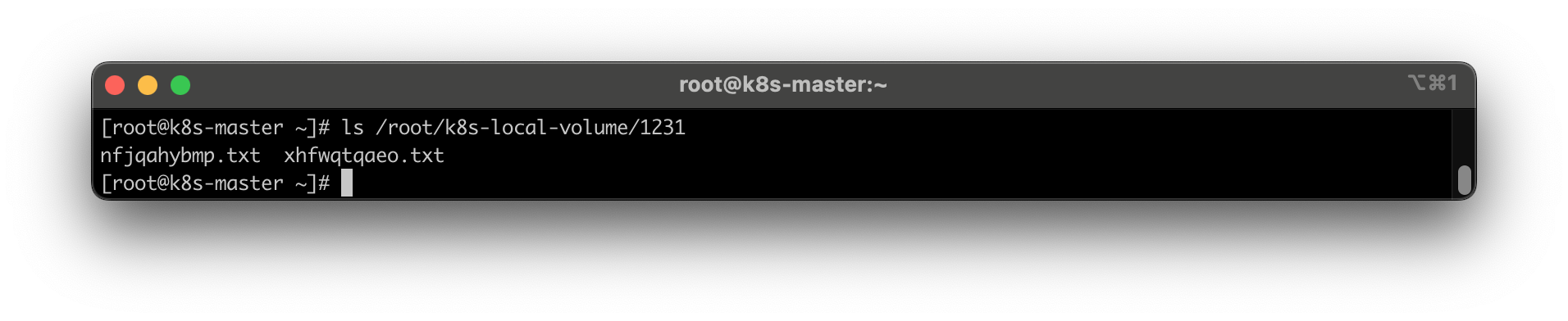
master node 폴더 확인 => xhfwqtqaeo.txt

1-3. Pod 삭제
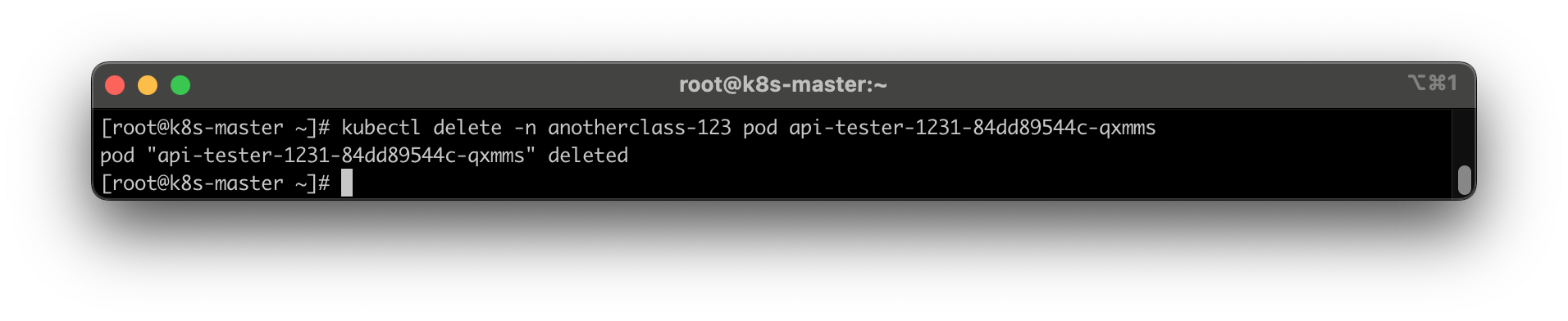
1-4. 파일 조회
http://192.168.56.30:31231/list-file-pod
http://192.168.56.30:31231/list-file-pv
두 파일 모두 조회되지 않음
1-5. hostPath 설정 후 다시 동작
- name: files
	hostPath:
		path: /root/k8s-local-volume/1231

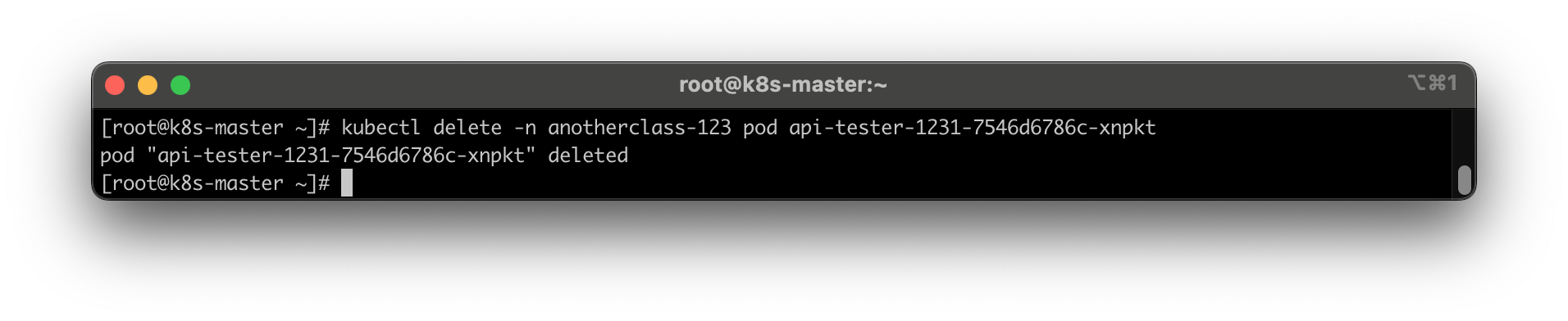
http://192.168.56.30:31231/list-file-pod
http://192.168.56.30:31231/list-file-pv- list-file-pod 는 조회되지 않지만
- list-file-pv 는 파일명이 조회된다
2. Deployment
2-1. RollingUpdate 하기
HPA minReplica 를 2로 바꾸기
kubectl patch -n anotherclass-123 hpa api-tester-1231-default -p '{"spec":{"minReplicas":2}}'
지속적으로 Version 호출하기
while true; do curl http://192.168.56.30:31231/version; sleep 2; echo ''; done;
이미지 업데이트 실행
kubectl set image -n anotherclass-123 deployment/api-tester-1231 api-tester-1231=1pro/api-tester:v2.0.0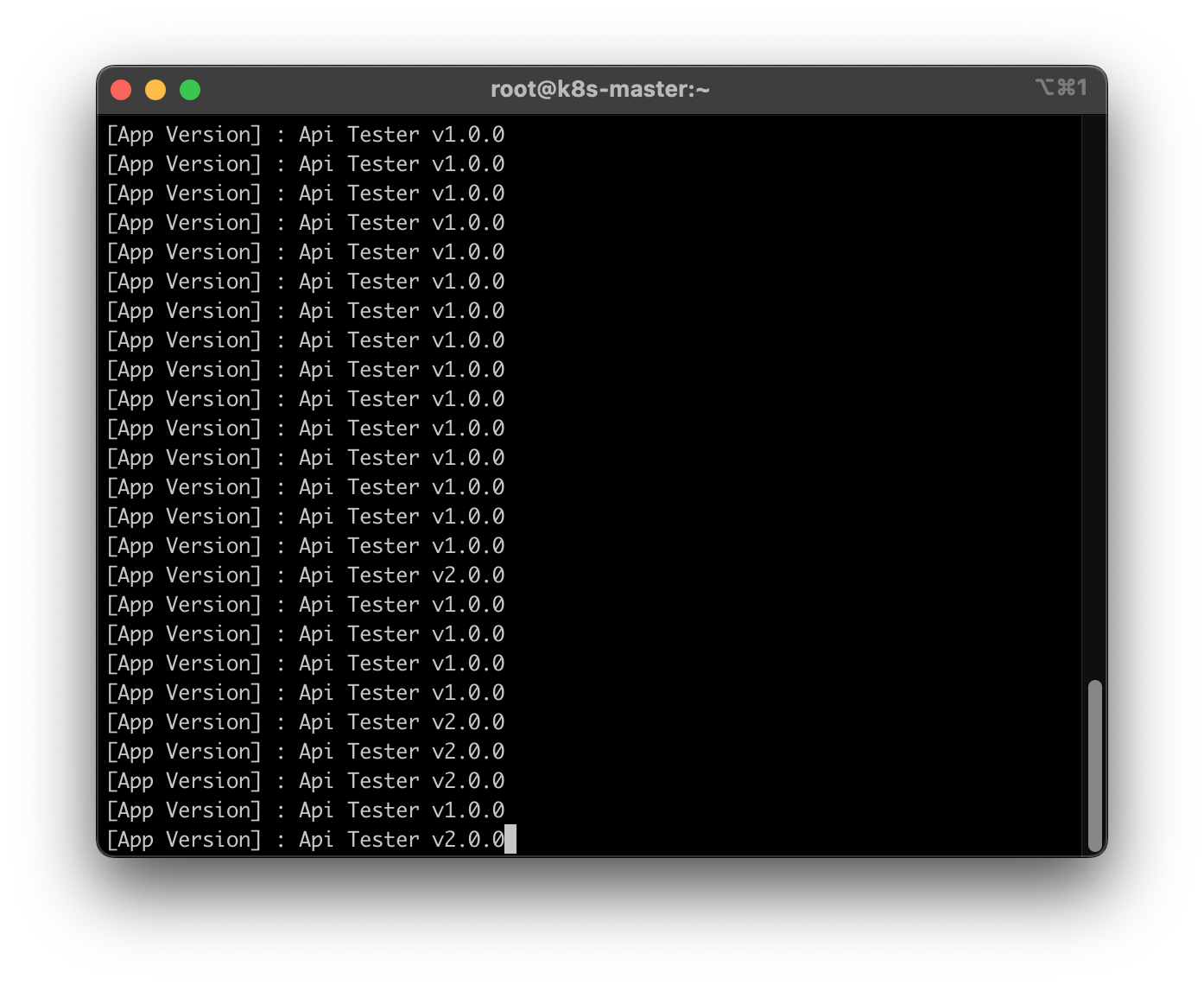
버전이 v1.0.0 과 v.2.0.0 이 혼용되어서 노출됨
2-2. RollingUpdate (maxUnavailable: 0%, maxSurge: 100%) 하기
      maxUnavailable: 25% -> 0%  # 수정
      maxSurge: 25% -> 100%      # 수정
kubectl set image -n anotherclass-123 deployment/api-tester-1231 api-tester-1231=1pro/api-tester:v1.0.0- maxUnavailable : 0%, maxSurge : 100% 로 하면 Blue/Green 에 가까운 효과
- 두 버전이 동시에 호출되지 않도록 설정
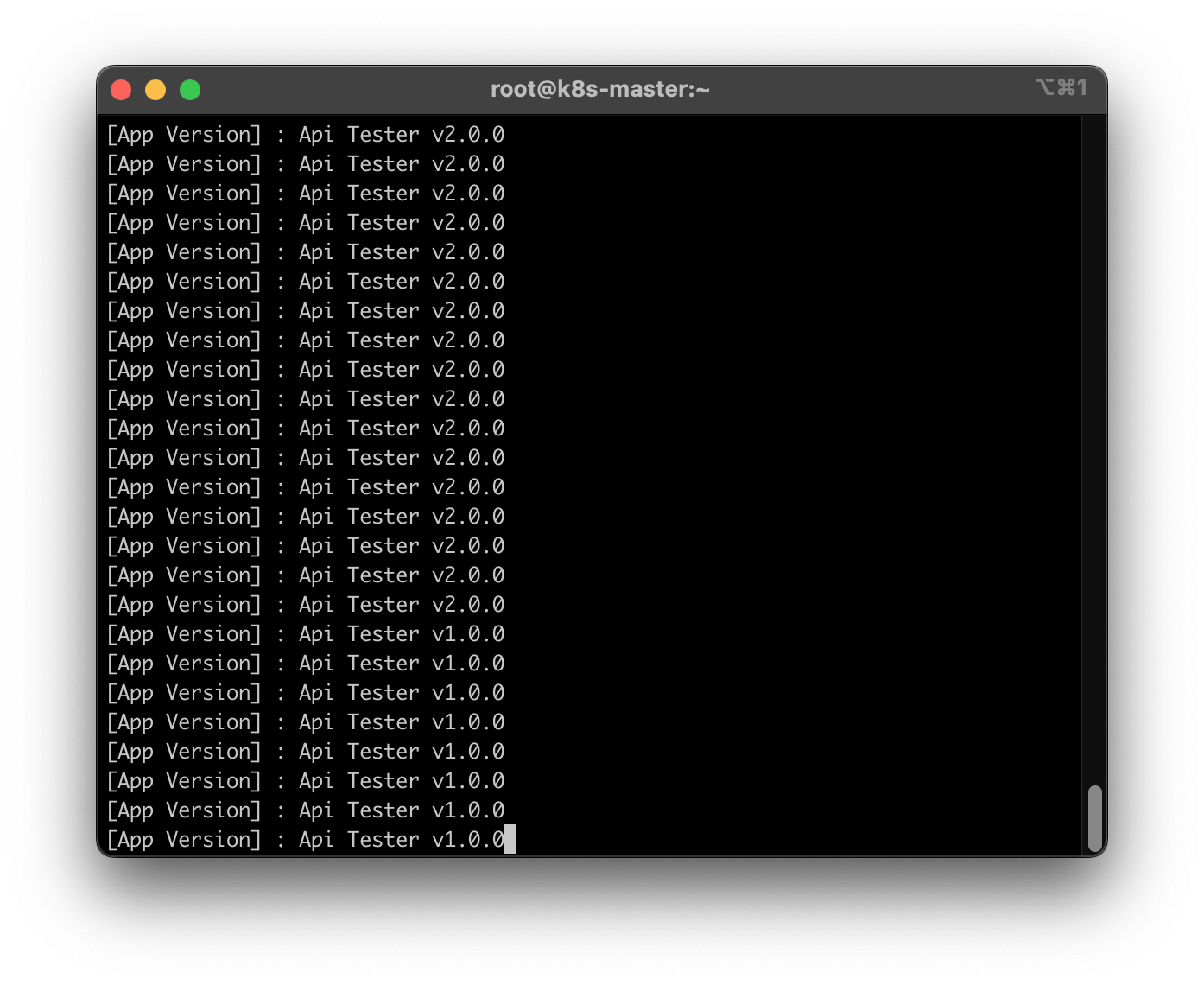
버전 v1.0.0 과 v2.0.0 이 혼용되어서 노출되지 않음
2-3. Recreate 하기
  strategy:
    type: RollingUpdate -> Recreate   # 수정
    rollingUpdate:        # 삭제
      maxUnavailable: 0%  # 삭제
      maxSurge: 100%      # 삭제
kubectl set image -n anotherclass-123 deployment/api-tester-1231 api-tester-1231=1pro/api-tester:v2.0.0- 바로 기존 Pod 를 삭제시키는 동시에 새 Pod 2개를 만든다
- 업데이트 중 서비스 중단
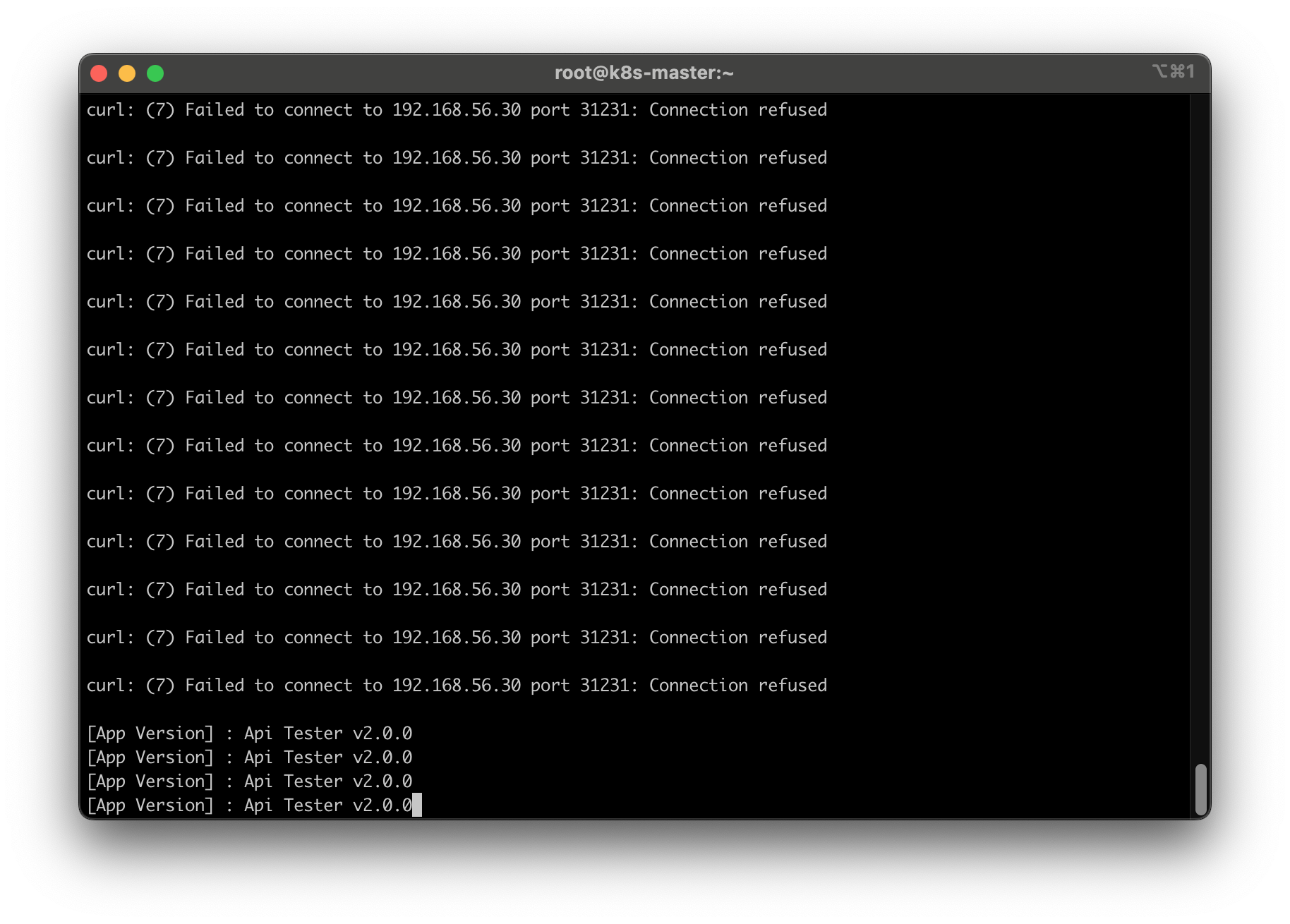
2-4. Rollback
kubectl rollout undo -n anotherclass-123 deployment/api-tester-1231
3. Service
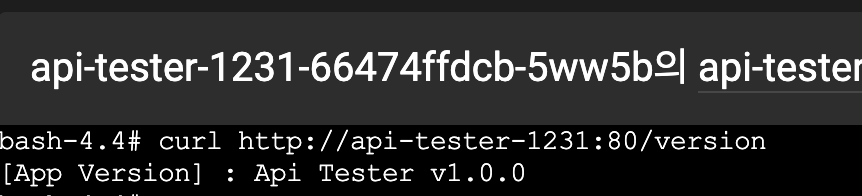
3-1. Pod 내부에서 Service 명으로 API 호출
3-2. Deployment에서 Pod의 ports 전체 삭제, Service targetPort를 http -> 8080으로 수정
containers:
  - name: api-tester-1231
    ports:                // 삭제
    - name: http          // 삭제
      containerPort: 8080 // 삭제
ports:
- port: 80
targetPort: http -> 8080 // 변경
nodePort: 31231
새로 뜬 Pod 내부에서 Service 명으로 API 호출

정상적으로 호출됨 🙆♀️
4. HPA
4-1. 부하 발생 & 부하 확인
부하 발생
http://192.168.56.30:31231/cpu-load?min=3
부하 확인
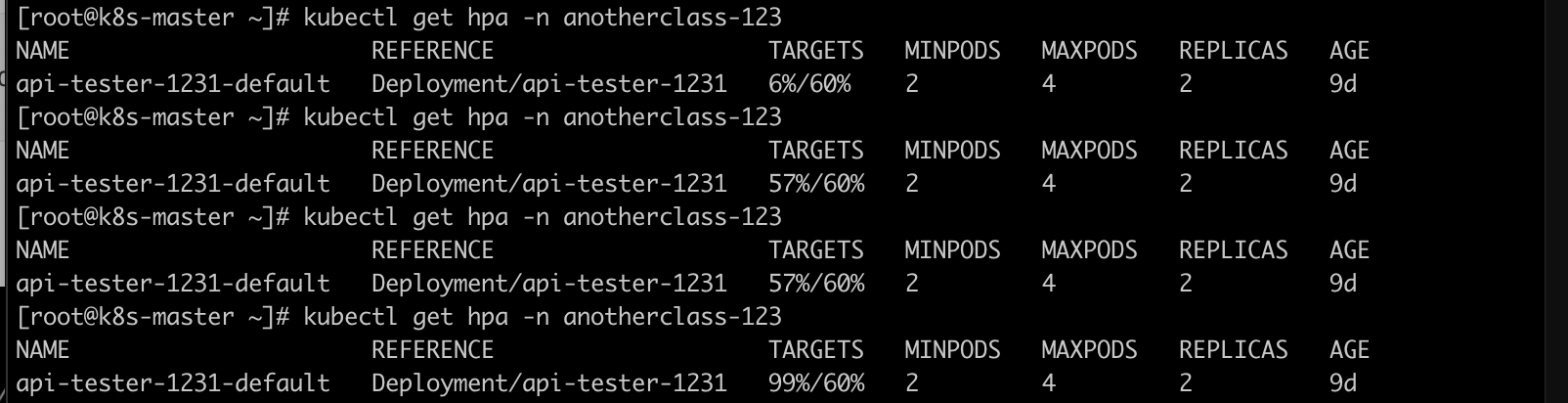
6% -> 57 % -> 99% 로 오름
상태 원복 방법
더보기
// 1. hpa 삭제
kubectl delete -n anotherclass-123 hpa api-tester-1231-default

// 2. deployment replicas 2로 변경
kubectl scale -n anotherclass-123 deployment api-tester-1231 --replicas=2

// 3. hpa 다시 생성
kubectl apply -f - <<EOF
apiVersion: autoscaling/v2
kind: HorizontalPodAutoscaler
metadata:
  namespace: anotherclass-123
  name: api-tester-1231-default
  labels:
    part-of: k8s-anotherclass
    component: backend-server
    name: api-tester
    instance: api-tester-1231
    version: 1.0.0
    managed-by: dashboard
spec:
  scaleTargetRef:
    apiVersion: apps/v1
    kind: Deployment
    name: api-tester-1231
  minReplicas: 2
  maxReplicas: 4
  metrics:
    - type: Resource
      resource:
        name: cpu
        target:
          type: Utilization
          averageUtilization: 60
  behavior:
    scaleUp:
      stabilizationWindowSeconds: 120
EOF
93% -> 12% 떨어짐
4-2. [behavior] 미사용으로 적용
spec:
  behavior:  # 삭제
    scaleUp:   # 삭제
      stabilizationWindowSeconds: 120   # 삭제
부하 발생시키면 엄청나게 빨리 증가함
'🌱 인프런 > ⚓ 쿠버네티스 어나더 클래스 (지상편)' 카테고리의 다른 글
| (10) 손쉽게 데브옵스 환경을 구축하는 방법 (2) | 2025.06.10 |
|---|---|
| (9) 데브옵스 한방 정리 (8) | 2025.06.09 |
| [미션3] Application 기능으로 이해하기 - Configmap, Secret > 응용과제 (0) | 2025.06.08 |
| [미션2] Application 기능으로 이해하기 - Probe > 응용과제 (0) | 2025.06.08 |
| (8) Component 동작으로 이해하기 (0) | 2025.06.08 |